Your Web Developer Probably Can't Code
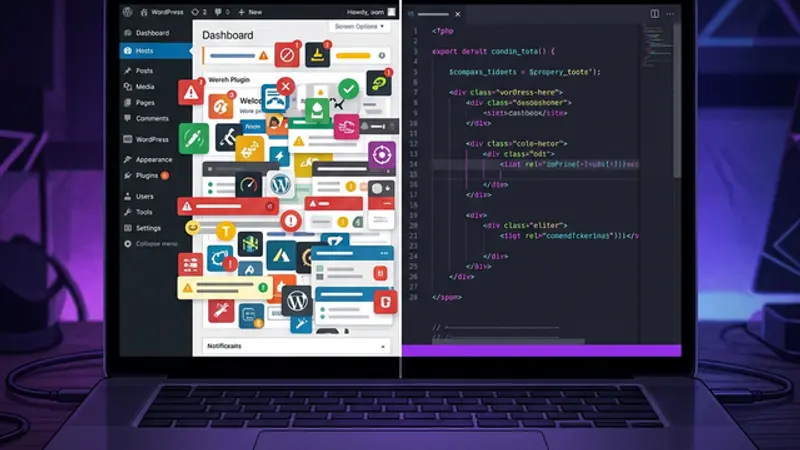
The web development industry is full of professionals who can operate WordPress but can't write code. That's not a character flaw — it's a structural problem that limits what your website can do, how fast it loads, and how unique it feels. Custom-built changes everything.
The Web Development Industry Has a Dirty Secret
Your web developer probably can't code. Most agencies deliver WordPress configurations — theme selection, plugin installation, and block editor content — rather than custom-written HTML, CSS, or JavaScript. In 2026, this is the default workflow at thousands of agencies worldwide, and most clients never know the difference.
This isn't an insult. It's a structural observation about an industry where the barrier to entry dropped so low that "web development" became synonymous with "WordPress operation." Understanding this gap might save you thousands of dollars on your next project.
The skills gap at a glance
| What clients expect | What most agencies deliver |
|---|---|
| Custom-written code | Theme configuration |
| Unique design | Pre-built template with color changes |
| Hand-tuned performance | Caching plugin |
| Tailored SEO architecture | Yoast green dots |
| Interactive, memorable UX | Stock slider + contact form plugin |
How the Industry Got Here
WordPress democratized web publishing by making it possible to build a professional-looking website without writing code. Themes provided design, plugins provided functionality, and the block editor provided content management. The barrier to entry dropped from "programming skill" to "clicking install."
That accessibility was genuinely revolutionary — bloggers, small businesses, nonprofits, and artists all gained an online voice they couldn't have had before.
But it created a side effect nobody anticipated: an entire generation of "web developers" whose only skill is operating someone else's software.
The timeline
- 2003 — WordPress launches as a blogging platform
- 2005 — Plugin architecture introduced; third-party extensions explode
- 2010 — ThemeForest and premium theme marketplaces normalize template-based design
- 2015 — Page builders (Elementor, Divi, WPBakery) make drag-and-drop the default workflow
- 2018 — Gutenberg block editor ships; WordPress becomes a full-site editor
- 2026 — WordPress powers 43% of the internet. Most of it looks identical.
The Plugin Economy
A plugin-assembled website is one where every feature comes from a third-party extension rather than purpose-written code. The typical WordPress agency workflow in 2026 involves zero lines of custom code — the entire deliverable is a configuration of other people's work.
The standard agency workflow
- Pick a theme from ThemeForest ($60)
- Install 10–30 plugins — contact forms, SEO, caching, security, analytics, sliders, popups, cookie consent
- Customize via the theme's settings panel
- Add content through the block editor
- Deploy on managed WordPress hosting
- Invoice $3,000–$15,000
Notice what's missing? Code. No HTML. No CSS. No JavaScript. The site is assembled, not built.
There's nothing inherently wrong with this for simple projects. A local bakery's menu page doesn't need custom engineering. But the problem starts when agencies sell this process as "custom web development" at premium prices — or when clients with real needs get handed a plugin stack and told it's the best they can get.
What Plugins Structurally Cannot Deliver
Plugin-based WordPress development creates a hard ceiling on what your website can do. Features that require custom JavaScript, server-side logic, or deep CSS engineering simply don't exist in the plugin ecosystem. Here's a concrete breakdown of what you're giving up.
The microwave chef metaphor
Imagine hiring a chef who can only use a microwave. The plates look nice. The menu reads well. The restaurant has ambiance. But nothing was actually cooked.
That's the plugin economy. And here's what it can't deliver:
Feature comparison: plugin vs. custom
| Capability | Plugin approach | Custom-built approach |
|---|---|---|
| Animations | Pre-built sliders, basic fade-ins | Cards that flee your cursor, physics-based interactions, hidden puzzles |
| Performance | WP Rocket cache layer over bloated PHP | Static generation via Next.js/Astro, edge CDN, zero runtime DB queries |
| SEO | Yoast green dot score | Semantic HTML5, custom JSON-LD schema, server-side rendering, optimized image pipelines |
| Design | Theme with color overrides | Unique design language, custom spacing, typography, interaction patterns |
| Admin panel | Generic WordPress dashboard | Custom admin dashboard tailored to your content workflow |
| Page speed | 3–6s average (with plugins) | Sub-2s consistently (static + edge) |
| Lighthouse score | 40–70 typical | 95+ across all categories |
The performance math
Every WordPress plugin adds overhead:
- HTTP requests — each plugin loads its own CSS and JS files
- Database queries — plugins query
wp_optionsand custom tables on every page load - DOM size — page builders generate deeply nested
<div>structures (often 3–5× more DOM nodes than hand-written HTML) - Third-party scripts — analytics, chat widgets, and tracking plugins inject external JavaScript
A typical WordPress site with 20 plugins generates 40–80 HTTP requests per page load. A custom Next.js site generates 8–15. Google's Core Web Vitals penalize this directly — Largest Contentful Paint (LCP), Cumulative Layout Shift (CLS), and Interaction to Next Paint (INP) all suffer.
The Hidden Cost of "Cheap"
The true cost of a plugin-assembled website extends far beyond the initial invoice. Plugin conflicts, security vulnerabilities, subscription fees, and performance ceilings create ongoing expenses that often exceed the cost of building custom.
Cost breakdown: WordPress plugin stack vs. custom
| Cost factor | WordPress (annual) | Custom-built (annual) |
|---|---|---|
| Theme license | $60/yr | $0 (you own the code) |
| Elementor Pro | $59/yr | $0 |
| WP Rocket | $59/yr | $0 (built-in static generation) |
| ACF Pro | $49/yr | $0 |
| Gravity Forms | $59/yr | $0 |
| Security plugin | $99/yr | Reduced surface (fewer dependencies) |
| Hosting | $300/yr (managed WP) | $0–$20/mo (Vercel, depending on plan) |
| Database / backend services | Included in hosting | $0–$25/mo (e.g. Supabase, email providers) |
| Plugin conflict debugging | $200–$500/yr | $0 |
| Total ongoing (fixed costs) | $885–$1,185+/yr | $0–$540+/yr |
The custom-built column isn't always cheaper — but the money goes to your infrastructure, not to plugin subscription fees for software you don't own.
Developer maintenance: the honest conversation
Both approaches require ongoing maintenance — but the nature of that work is different. WordPress sites need plugin conflict debugging, theme updates, and security patches for code you didn't write. Custom-built sites need framework updates (Next.js, React), dependency patches, and infrastructure monitoring.
The cost of developer maintenance varies enormously depending on the project. A simple landing page might need a few hours per year. A complex web application with a database, authentication, and real-time features could need monthly attention. Any developer who tells you a website never needs maintenance is selling you something. The difference is that with custom code, you're paying a developer you chose to maintain code you own — not paying strangers to keep their plugins compatible with each other.
The security difference
No website is immune to security threats. But the attack surface is fundamentally different. A WordPress site with 20 plugins has 20 codebases you didn't write, can't audit, and rely on strangers to maintain. A Sucuri report found that 96.2% of infected CMS sites were WordPress — largely because the plugin ecosystem creates a sprawling attack surface.
A custom-built site still needs attention — framework updates, dependency patches, secure authentication — but you control every line of code, and there are far fewer moving parts to exploit.
Vendor lock-in
Page builders (Elementor, Divi, WPBakery) store your layout as proprietary shortcodes. If the plugin stops being maintained or changes pricing:
- Your layout renders as gibberish without the plugin
- Migration means rebuilding from scratch
- You own the content but not the structure
What "Custom-Built" Actually Means
Custom-built means every component — navigation, blog, contact form, animations, performance optimizations — is written specifically for your project. No themes. No plugins. No third-party dependencies that can break, expire, or get hacked.
The custom stack in practice
| Layer | WordPress approach | Our approach |
|---|---|---|
| Framework | PHP + MySQL | Next.js + React + TypeScript |
| Rendering | Server-generated on every request | Static generation + ISR (Incremental Static Regeneration) |
| Styling | Theme CSS + plugin CSS + override CSS | CSS Modules (scoped, zero conflicts) |
| Content | Database-stored blocks | MDX files (version-controlled, portable) |
| Deployment | Managed WordPress host | Vercel edge network (global CDN) |
| Interactive features | Plugin marketplace | Purpose-built React components |
The proof is this website
The site you're reading right now was built with this process. Every interactive component, every animation, every page — custom code, zero templates. The gamification layers, the AI companion commenting on articles, the reading XP system — none of these exist as plugins. They exist because someone wrote the code.
Verifiable results:
- ✅ Lighthouse Performance: 95+
- ✅ First Contentful Paint: under 1.5s
- ✅ Zero third-party plugins
- ✅ Full code ownership
- ✅ No annual license fees
The Uncomfortable Middle Ground
WordPress is still the right choice for simple projects — basic blogs, small business landing pages, and quick MVPs where speed-to-market matters more than uniqueness. The platform excels when your needs fit within what plugins already do.
The problem isn't WordPress itself. It's an industry where "web developer" became synonymous with "person who knows how to install plugins." When your only tool is WordPress, every problem looks like it needs a plugin. And when every solution is a plugin, your website becomes an assembly of compromises held together by automatic updates and prayers.
The question to ask before signing
"If I asked for something that doesn't exist as a plugin, could you build it?"
If the answer is no — and honestly, for many agencies it is — you need to know that before you sign the contract. Not because there's anything wrong with WordPress expertise, but because you deserve to know the ceiling of what your investment can deliver.
Your website is either built for you, or assembled from parts built for everyone. There's no shame in choosing either path — but you should know which one you're paying for. For the full picture of how AI is reshaping the process of designing custom web experiences, see our complete guide to AI-assisted design.