AI-Assisted Web Design — Beyond Templates, Into Identity
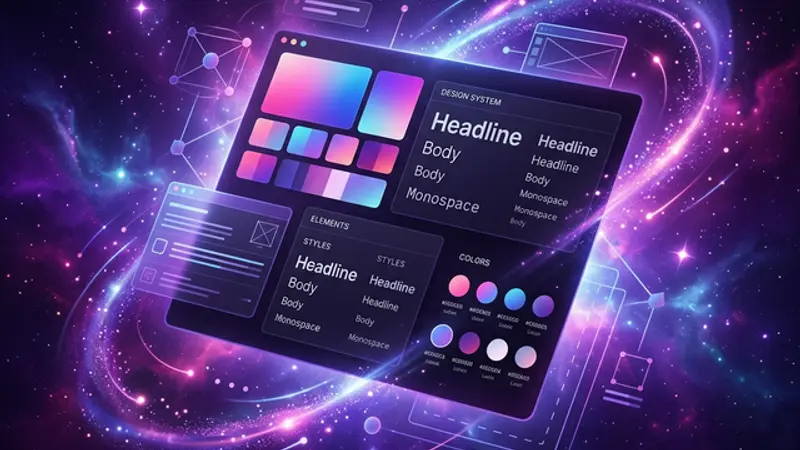
AI doesn't replace designers — it eliminates the template trap. This guide covers AI-driven design decisions, when to trust AI taste (and when to override it), and how to build websites with real identity.
The Template Trap — And How AI Breaks It
AI-assisted web design enables custom, identity-driven websites by eliminating the template selection bottleneck that forces most projects into generic layouts. WordPress templates changed the web by democratizing design. Now they're holding it back. Every template-based site looks like its template — and there are only so many templates.
The real revolution isn't AI generating templates faster. It's AI eliminating the need for templates entirely. When you can describe what you want and have it built, the starting point isn't "which template fits?" — it's "what should this feel like?"
This guide covers how we use AI for design decisions, where AI taste fails, and how to build websites that have actual identity. And to understand why this matters so much, consider that most web agencies can't actually code — they operate WordPress and install plugins, which means your website's ceiling is whatever the plugin ecosystem offers.
Why AI-Driven Design Is Different
Traditional web design follows a template-first workflow:
- Browse templates → Pick one → Customize colors → Fight with plugins → Ship
AI-driven design follows an identity-first workflow:
- Describe the feeling → AI builds it → Iterate → Ship something unique
Your Website Is a Template — AI Changes That covers this shift in depth. The key insight: AI eliminates the creative barrier. You don't need to know CSS Grid to build a complex layout. You need to know what you want.
The creative bottleneck moves from "can I build this?" to "do I know what this should be?" — and that's a much better problem to have.
When AI Taste Fails (And How to Override It)
AI has taste. It's just not very good taste — yet.
We let AI pick our colors — and they're the most generic thing here. Purple gradients, neon glows, dark backgrounds — the AI defaulted to "futuristic tech startup" because that's what its training data associates with tech websites.
When to trust AI design decisions:
- Layout and structure — AI is excellent at responsive grids, component hierarchy, spacing
- Typography pairing — AI knows which fonts work together
- Accessibility — AI can check contrast ratios and WCAG compliance
- Animation timing — AI understands easing curves and motion design principles
When to override AI design decisions:
- Color palettes — AI defaults to trends, not identity
- Brand personality — AI can't know your brand's soul
- Emotional tone — "make it warm" means different things in different contexts
- Uniqueness — if the output looks like everything else, it's wrong
The override protocol: describe the feeling you want, not the specific colors. Instead of "use purple," say "I want it to feel like a late-night coding session — dark but energetic, with accents that feel like terminal output."
Identity-Driven Design Process
Building a website with identity requires:
- Define your identity words — pick 3-5 adjectives that describe how the site should feel. Ours: alive, opinionated, provocative, technical, fun
- Test every design decision against those words — "does this purple gradient feel 'provocative'? Or does it feel 'generic tech'?"
- Let AI generate options, but curate ruthlessly — AI can produce 10 variations in minutes. Your job is to pick the one that matches your identity
- Iterate based on feeling, not features — "this feels too corporate" is better feedback than "change the border radius"
The Full AI Design Workflow
Here's how we approach every design decision:
- Describe the experience — not "make a hero section" but "make visitors feel like they've entered a mission control center"
- Let AI build the first draft — it handles layout, spacing, and basic styling
- Audit against identity words — does it feel like us, or like every other site?
- Override where needed — swap generic elements for identity-specific ones
- Ship and observe — real user behavior tells you more than any design review
What AI Design Gets Wrong (And How to Recover)
AI design tools have predictable failure modes you should watch for:
- Homogeneity — AI draws from the same training data, so outputs converge toward the same aesthetic. If your site looks like a Dribbble trending page, the AI won. Counter this by injecting deliberate contrast: unusual type choices, asymmetric layouts, or color palettes that break category norms.
- Over-polishing — AI tends toward clean, symmetrical, "finished" designs. But personality often lives in controlled imperfection — hand-drawn elements, slightly irregular spacing, or intentional roughness that signals authenticity.
- Ignoring context — AI doesn't understand that a portfolio for a jazz musician needs a fundamentally different energy than a SaaS dashboard. You provide that context through your identity words and override decisions.
The solution isn't to avoid AI in design — it's to use AI as a starting point and then push the output until it stops looking like it was generated. The best AI-designed sites are the ones where nobody can tell AI was involved.
The goal isn't a perfect design. It's a design that couldn't belong to anyone else. A design so specific to your identity that copying it would feel wrong, because the decisions only make sense in your context.