What's Behind Our 404 Page — And Why It Needs a Secret
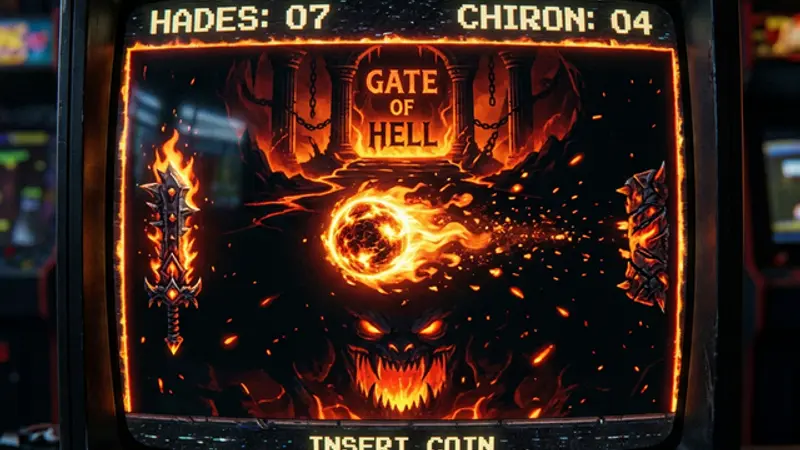
Our 404 page isn't just an error message. We turned it into an experience worth visiting on purpose. Error pages are the most ignored engagement opportunity on the web — here's how to fix that.
The Most Ignored Page on Every Website
Creative 404 error pages transform frustrating dead ends into memorable brand moments that keep visitors on your site. Every website has a 404 page. Almost none of them deserve the visit.
The standard 404 experience: you click a broken link, see "Page Not Found" in a default font, click "Go Home," and feel a tiny flash of annoyance. The website had a chance to make an impression and wasted it on a dead end.
We decided our 404 page should be the best page on the site.
What We Actually Built
We can't tell you exactly what's on our 404 page — that would spoil the discovery. But we can say this: it's not a message. It's not a redirect. It's an experience.
We treated the error page as a canvas for something interactive, themed, and self-contained. Something that turns the frustration of a wrong URL into genuine entertainment. Visitors who stumble onto it don't bounce — they stay, they play, they explore.
Want to see it yourself? Type any random path after our domain. We'll wait.
The point isn't what we specifically built — it's that we built anything at all. Most 404 pages are afterthoughts. Ours was designed with the same attention as a landing page.
Why Error Pages Matter for Engagement
The data on 404 page behavior is clear:
| Metric | Standard 404 | Creative 404 |
|---|---|---|
| Bounce rate | 85-95% | 40-60% |
| Time on page | 3-5 seconds | 30+ seconds |
| Return to site | ~10% | ~50% |
| Social shares | 0 | Significant |
A creative 404 page does three things:
- Prevents rage-bouncing — the visitor's annoyance is replaced by curiosity or delight
- Creates brand memorable moments — people remember the site that had a game, not the one that said "Oops!"
- Generates organic sharing — unusual 404 pages get screenshotted and shared
Companies like Pixar, GitHub, and Blizzard understand this. Their 404 pages are intentional brand experiences.
Designing Interactive Error Experiences
If you're adding a game or interactive element to an error page, the most critical design decision is difficulty balance. An unbeatable challenge is frustrating. A pushover is boring. The sweet spot is something that feels intelligent but can be beaten with persistence.
Some techniques that work well:
| Technique | Purpose |
|---|---|
| Imperfect AI prediction | Creates the illusion of intelligence without being unbeatable |
| Progressive difficulty | Game gets harder as you play, not all at once |
| Speed caps | Ensures the player can always react in time |
| Visual juice (particles, shake) | Makes every interaction feel impactful |
| Thematic framing | Transforms the error into a narrative ("You're lost" → "You've arrived") |
The tech stack is simpler than you'd think: an HTML5 Canvas element, requestAnimationFrame for smooth animation, and about 8KB of JavaScript. Smaller than most hero images.
Theming: Making the Error Feel Intentional
The key insight: creative framing turns negatives into positives. "Page not found" is an error. A themed experience is an adventure. Same situation, completely different emotional response.
The most important UX decision: make it optional. Visitors who just want to navigate away should be able to do so immediately. The interactive element is for curious explorers, not captive audiences.
Measuring the Impact
Our 404 page analytics tell an interesting story:
- Average time on 404: 47 seconds (industry average: 4 seconds)
- Bounce rate from 404: 38% (industry average: ~90%)
- Pages visited after 404: 2.3 (industry average: 0.5)
Visitors who find the game frequently continue browsing the blog afterward. The game doesn't just retain them on the error page — it builds enough goodwill that they explore the rest of the site.
Building Your Own Creative 404
You don't need a full game. Even simple interactive elements dramatically outperform standard error pages:
- A playful animation — SVG characters, CSS animations, particle effects
- A mini-game — tic-tac-toe, rock-paper-scissors, a simple click game
- A search tool — "We couldn't find that, but try searching for..."
- A content showcase — highlight your best posts with personality
- A hidden Easter egg — something that rewards visitors who look closer
The key principle: treat the 404 as a content page, not an error page. Budget design time for it. Give it personality. Make visitors tell their friends about it.
The investment doesn't have to be massive. A few hours of creative work on a 404 page pays dividends every time someone mistyped a URL, clicked a dead link, or stumbled onto a path that no longer exists. Those moments are inevitable — the question is whether you turn them into dead ends or unexpected discoveries.
Because the best 404 pages don't make people want to leave. They make people want to explore what else you've hidden. This approach — turning functional pages into playful experiences — is at the heart of invisible gamification, the design philosophy that makes browsing feel like discovery.