The Kitchen Sink: Every Visual Tool We Have

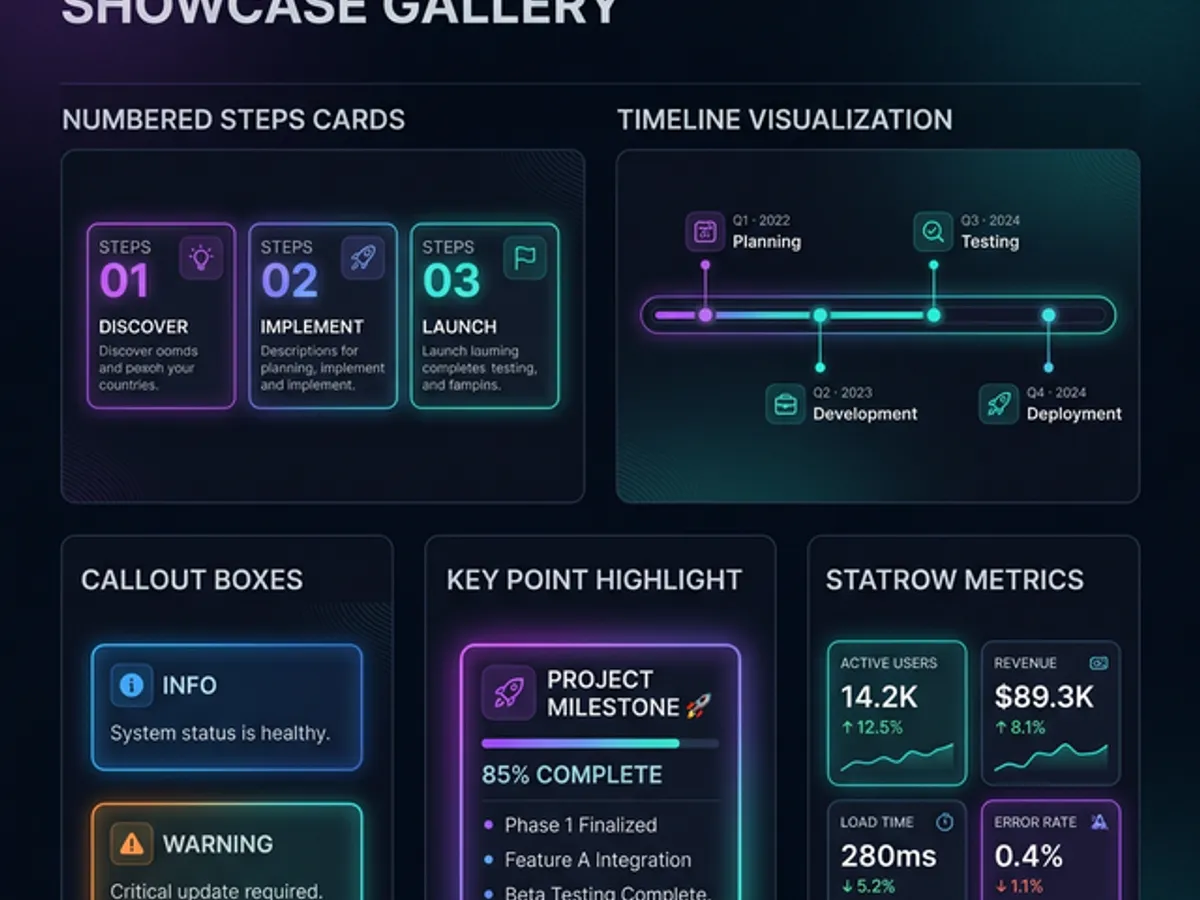
This post exists to showcase every visual and interactive element: StatCards, Callouts, BeforeAfter sliders, TechIcons, Timeline, Accordion, KeyPoint, Steps, Highlight, ImageGrid, Mermaid diagrams, and syntax-highlighted code. If it renders well here, it belongs in the workflow.
What This Is
This is a reference post — not for readers, but for us. Every time we write an article we should be asking: which of these tools belongs here? This post shows all of them working together so we know what we have.
Bullet points are enough. They're not. Here's everything else.
What are MDX blog components? MDX blog components are React components embedded directly in Markdown content files. Unlike standard Markdown (which renders paragraphs, headings, and code blocks), MDX lets content authors use component-level visual tools — interactive sliders, animated stat cards, collapsible accordions, timeline sequences, and live diagrams — without leaving the content file or writing layout code. The result is a blog that reads like an article and behaves like an application. Each component in this post is live-rendered from MDX source, with no image exports or embedded iframes.
1 — Callouts (4 flavours)
Use tip for practical advice the reader should act on. Green accent, lightbulb icon. Best placed after a key concept is introduced.
Use info for nuance, definitions, or supporting context. Blue accent. Doesn't interrupt — it enriches.
Use warning for edge cases, common mistakes, and things that will trip readers up. Amber accent. Use when something counterintuitive is true.
Reserve danger for things that will genuinely break or fail if ignored. Red. Do not overuse or it loses meaning.
2 — StatCards
Numbers deserve visual weight. A stat buried in a paragraph has zero impact.
Use a single <StatCard> for one key number, or wrap in <StatRow> for a horizontal stat panel.
3 — BeforeAfter Slider
The before brief produces generic. The after brief produces personality. Same intent, completely different AI output.
4 — Timeline
Define the character, write the creative brief with references and anti-examples. This is the only phase the AI cannot lead.
Define page structure and component requirements with AI input. Write the implementation plan.
Build components from the vision brief. Iterate on aesthetics with feeling-based feedback. Currently here.
Override AI taste where needed. Adjust on real user behaviour. Update design language as vision clarifies.
5 — Accordion
6 — KeyPoint
AI has excellent execution and poor taste. The entire discipline of AI-assisted design is knowing which is which — and taking over from the AI exactly where its taste fails.
Use <KeyPoint> for the one sentence that defines the entire section. Change the label to match the context: "The Core Thesis", "The Bottom Line", "The Rule", "The Catch".

7 — Steps
Answer: if this website were a person, who would it be? Not what it looks like — who it is. Write 3–5 sentences. This is the foundation everything else builds on.
What does a visitor feel in the first 3 seconds? Describe the emotional landing, not the visual layout. "It should feel like you found something that wasn't meant for you" beats "modern and clean" as a brief.
Name 3 sites you love for a specific reason. Name 3 you actively dislike. The anti-references are more useful — they tell the AI what not to pattern-match on.
Now the AI has coordinates. Color, typography, animation — all of these conversations are specific because they're grounded in identity, not preference.
8 — Highlight (inline)
The Highlight component wraps inline text with a marker-pen underline. Use it sparingly — for the word or phrase inside a paragraph that carries the most weight.
Available colours: purple, cyan, amber, green.
Unlike bold, which signals importance structurally, <Highlight> signals importance visually — the reader's eye goes there even when scanning. Use it for the one thing you absolutely don't want them to miss in a paragraph.
9 — TechIcons
Use list= with comma-separated values. No array syntax needed in MDX.
10 — Mermaid Diagrams
Write diagrams in code — no image generation needed. Renders as an SVG on the client.
11 — Syntax-Highlighted Code
// KeyPoint — the one sentence that defines the section
export function KeyPoint({ label = "Key Point", children }: KeyPointProps) {
  return (
    <div className={styles.keypoint}>
      <span className={styles.label}>{label}</span>
      <div className={styles.content}>{children}</div>
    </div>
  );
}
/* Purple left border + floating label */
.keypoint {
border-left: 4px solid #a855f7;
background: rgba(168, 85, 247, 0.06);
padding: var(--space-5) var(--space-6);
}12 — Tables + Mixed Formatting
Variety is the goal. An article that uses only one format — tables, bullets, or callouts — feels as monotonous as prose. Mix deliberately so no two consecutive sections look the same.
| Format | Best for | Avoid when |
|---|---|---|
<Callout> | One key insight deserves a visual moment | You have 3+ consecutive callouts |
<KeyPoint> | The single defining sentence of a section | It's a tip or warning (use Callout instead) |
<StatCard> | A number that defines the point | The stat isn't genuinely dramatic |
<BeforeAfter> | Interactive before/after transformation | Comparison is abstract, not visual |
<Timeline> | Step-by-step journey with status | Simple numbered list with no dates or status |
<Steps> | How-to guide with descriptions | Steps are very short (just use a numbered list) |
<Accordion> | FAQ or long reference content | Content is always visible (not collapsible) |
<Mermaid> | Architecture, flow, or process diagrams | Simple comparison (use table instead) |
| Table | Two-dimensional data, before/after, A vs B | Single-column lists |
| Bullets | Simple enumeration with no extra context | Each item needs a description |
What's Still Available to Install
| Package | What it adds |
|---|---|
react-tweet | Native embedded tweets |
lite-youtube-embed | Fast YouTube embeds |
@uidotdev/usehooks | Animated stat counters (count up on scroll) |
The Decision Rule
How do you choose which blog component to use? The rule is simple: reach for the weakest tool that does the job. Prose → one key point →
<KeyPoint>. Prose → important warning that must stand out →<Callout>. Two-dimensional data → Table. Step-by-step process with descriptions →<Steps>. Numbers that define the argument →<StatRow>. If you're reaching for<Timeline>for a three-item list, step back. If you're writing prose where a table would show it instantly, step forward. The goal is variety of texture — no two consecutive sections should use the same format.
The component system exists so every article can communicate at the density its content deserves. A single stat card does more than three paragraphs of explanation for a number. A <Steps> block does more than a numbered list when each step needs context.
When in doubt, come back here and look at what you have. Then pick the one that adds the most signal with the least noise.
→ The Architecture of a Blog That Feels Alive — how these components fit into the full interactive system architecture.
This post is part of our AI-Assisted Design cluster — the complete system for building with AI from identity to implementation.