AI in Your IDE — The Developer Tools That Actually Matter
The IDE advantage isn't code generation — it's context. AI that reads your files, understands your types, and follows your patterns beats any chatbot. This guide covers the tools that matter, the workflows that ship, and the mistakes that cost you the most time.
The Revolution Isn't Code Generation
Every AI can generate code. The models available today — from Claude to GPT-4 to Gemini — can all write a React component, a Python function, or an SQL query from a text description. Code generation isn't the revolution — it's solved. It's table stakes.
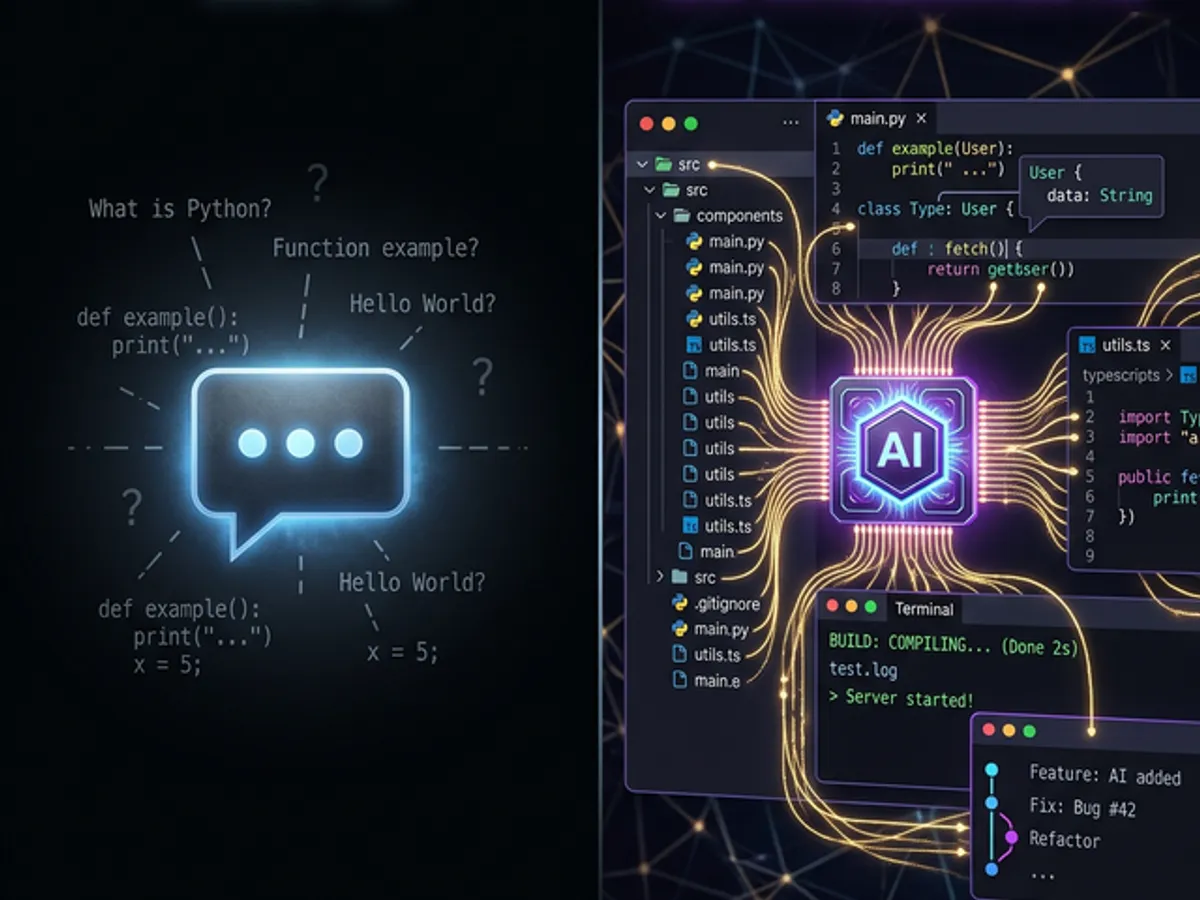
The revolution in AI development tools is context — AI that reads your entire project, understands your types, knows your naming conventions, matches your patterns, and generates code that actually fits without you explaining any of it. That's the gap between an IDE-integrated AI and a chatbot. Not intelligence. Context.
A chatbot gets the code you paste and your prompt. An IDE assistant gets your code, your prompt, and hundreds of other files — your interfaces, your utilities, your test patterns, your import conventions, your architectural decisions. That's not a small difference. It's the difference between a contractor who's read the blueprints and one who's guessing.
Contents
- The Context Advantage — Why IDE Beats Chatbot
- The Bug-to-Blog Pipeline — Turning Dev Friction Into Content
- What Actually Matters in Modern AI Dev Tools
- Setting Your Project Up for Maximum AI Context
- The Full AI-Assisted Development Workflow
- Common Mistakes Developers Make With AI Tools
- The Future: Architecture Understanding, Not Just Code Generation
The Context Advantage — Why IDE Beats Chatbot
IDE-integrated AI outperforms standalone chatbots for software development because it operates with full project context — every file, every type, every convention — without requiring the developer to manually provide that context for every interaction. Context is the moat. Every AI can generate code. Only IDE-integrated AI generates code that fits.
What full-context access means in practice:
| Context available to IDE AI | What it enables |
|---|---|
| All files in the project | Generates code that references actual interfaces, not invented ones |
| Your naming conventions | Automatically matches camelCase or snake_case, your pattern, not the AI's default |
| Your import patterns | Uses the libraries you actually have, imported the way you actually import them |
| Your test patterns | Generates tests that match the style of your existing test suite |
| Your git history | Understands recent changes; can reason about what was modified and why |
| Your type definitions | Generates type-safe code without you explaining your types in every prompt |
The practical result: prompts get shorter. "Add a new API route" works out-of-the-box in an IDE with full context. In a chatbot, that same prompt requires paragraphs of context-setting — your router pattern, your response format, your middleware chain, your error handling conventions.
What is AI context in development tools? In AI development tools, context refers to the full set of information the AI has access to when generating code — including all project files, type definitions, naming conventions, existing patterns, and git history. Higher context produces more accurate, consistent, and immediately usable code without developer-provided explanation.
Context quality directly correlates with output quality. This is predictable: the more an AI knows about your specific project, the more likely it is to generate code that fits without modification.
For the detailed argument — including the specific ways IDE context changes the quality of generated code, and our firsthand comparison of context-rich vs. context-poor development — see The IDE Advantage Isn't About Code — It's About Context.
Every AI can generate code. Only IDE-integrated AI generates code that fits — matching your types, your patterns, your conventions — without you having to explain them. Context is what separates force multiplier from expensive autocomplete.
The Bug-to-Blog Pipeline
The bug-to-blog pipeline — using an AI IDE to simultaneously diagnose a bug, fix it, and draft a blog post about the experience — turns development friction into a compound content asset in under 10 minutes. Every interesting bug becomes a post. Every post builds authority. Authority builds rankings.
The workflow:
Not every bug qualifies — look for the ones that reveal something non-obvious about how the system works. The refactoring that broke a subtle dependency. The CSS property that had an unexpected interaction. The edge case that only appears under specific conditions.
The AI reads the stack trace, the relevant files, and the surrounding code simultaneously. No copy-pasting into a chatbot. No explaining the project structure from scratch. "What's causing this error?" is the entire prompt. The AI has everything else.
The generated fix follows your patterns, matches your types, and doesn't introduce inconsistencies with the surrounding code. The AI has seen your entire codebase; it knows what "correct" looks like for this project.
The AI already has the full diagnostic story — what went wrong, what the root cause was, how it was fixed. "Write a blog post about this bug and how we fixed it" produces a draft that requires editing, not wholesale rewriting.
Result: a development problem that takes 10 minutes with AI-assisted tooling would have taken 60–90 minutes with traditional debugging plus never produced the blog post. The compound asset — the article — continues generating value long after the bug is fixed.
This workflow produced the bodyTextMap post, the CSS rendering pipeline articles, and several other pieces on this site. They're not manufactured content — they're documented real problems, solved with real tools.
For the full breakdown of the bug-to-blog pipeline — including specific prompts, handling complex multi-file bugs, and turning the article draft into a publishable piece — see From Bug to Blog Post in 10 Minutes.
What Actually Matters in Modern AI Dev Tools
Not all AI developer tools are created equal. The features that genuinely change development velocity are distinguishable from marketing differentiators — and the evaluation framework is straightforward: does this reduce the gap between "I want this" and "it's done?"
| Feature | Why it matters | Red flag if absent |
|---|---|---|
| File-level context | AI reads your entire project on request | Only processes the currently open file |
| Type awareness | Understands interfaces, generics, and type hierarchies | Generates untyped code that breaks TypeScript |
| Multi-file operations | Can modify 3 files in one coordinated operation | Only touches the current file; you manually propagate changes |
| Inline editing | Proposes changes inside your actual files, with diff preview | Only outputs to clipboard; you paste and integrate manually |
| Terminal integration | Runs builds, tests, and linting; surfaces failures in context | Code-only; you run commands separately |
| Long context window | Maintains context across a 30+ file session | Context window resets after a few files |
| Project-aware commands | "Add an API route" works without explanation | Every request needs manual context-setting |
The tools that qualify in 2026: Cursor (full-project context, aggressive multi-file editing), Claude Code (strong reasoning, large context windows), GitHub Copilot (tight IDE integration, good for completions at scale). Standalone ChatGPT, Gemini, or Claude.ai — valuable for design conversations, poor for development execution without significant context scaffolding.
The tools that matter are the ones that reduce context overhead. If you're writing more words of context than code, you're using the wrong tool.
Open a tool and ask: "Add a new [feature] that follows the patterns in this project." Don't explain the patterns. If the tool needs you to explain them, it's not reading your project. If it generates code that fits without explanation, it has real context.
Setting Your Project Up for Maximum AI Context
The quality of AI-assisted development is directly proportional to the quality of context available to the AI — and context can be explicitly curated, not just passively accumulated from file reads.
Effective context curation strategies:
| Method | What it does | How to implement |
|---|---|---|
| CLAUDE.md / AGENTS.md | Project-specific instructions the AI reads before every session | Create in repo root; document conventions, patterns, and non-obvious architectural decisions |
| .cursorrules | Cursor-specific rules that apply to all AI interactions | Convention definitions, style preferences, things to always or never do |
| Type documentation | Rich JSDoc or TSDoc on key interfaces | AI uses these comments to understand intent, not just structure |
| Consistent naming | Predictable patterns the AI can extrapolate | get[Entity], create[Entity], update[Entity] — AI generalizes from observed patterns |
| Modular file structure | Related logic co-located | AI reads relevant modules; scattered code forces AI to reason across too many files |
The investment in a well-structured CLAUDE.md or cursorrules file pays compound interest. Every AI session starts with your documented conventions rather than the AI's generic defaults. The gap between "AI that knows your project" and "AI that doesn't" is often just this document.
Example of high-value CLAUDE.md content:
- Authentication patterns (how protected routes work in this project)
- Component structure conventions (how props are typed, how state is managed)
- Error handling patterns (where errors are caught, how they're surfaced)
- Testing approach (what gets tested, how tests are structured)
- Non-obvious architectural decisions (why something is done an unusual way)
The Full AI-Assisted Development Workflow
The workflow that ships consistently: write the plan first (outside the IDE), open the project with full context loaded, execute section by section, review every diff before accepting, run tests through terminal integration, iterate.
Outside the IDE — a markdown document describing what you're building. Without a plan, AI without direction produces code that solves the wrong problem correctly.
Full project loaded. No manual context-setting. The AI reads whatever it needs when it runs each command.
"Build the API route from section 2." The AI reads the plan, reads the relevant existing files, and implements. The prompts are short because the context is rich.
AI shows every change as a diff. Review it. Approve, reject, or request modification. You're the architect; the AI is the contractor. The diff is the inspection.
Through the terminal integration. Failures surface in context — the AI can read the error and the relevant code simultaneously. One conversation loop resolves most failures.
The AI remembers the conversation. You don't restart from zero on every correction. Complex multi-step problems stay coherent across 20+ messages in a session.
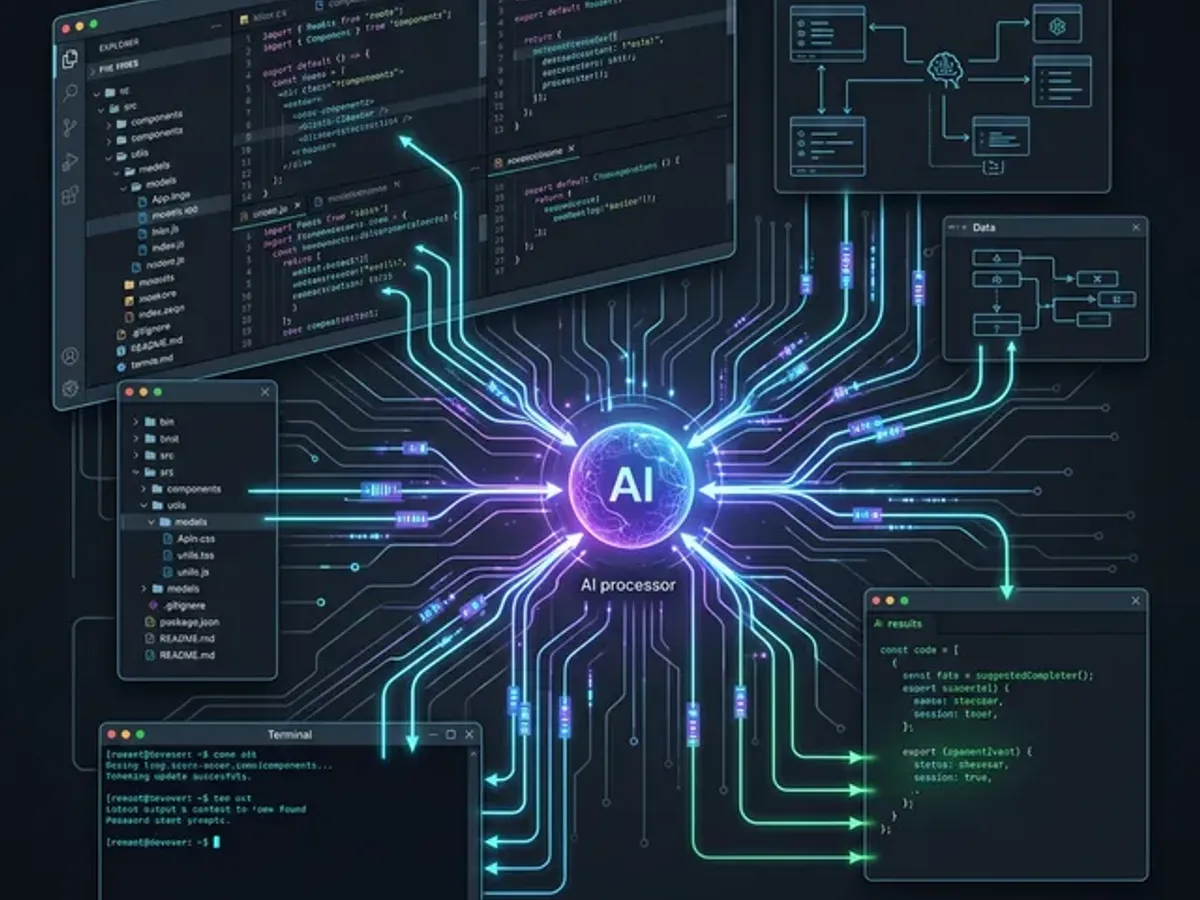
The plan is the multiplier. A session without a plan produces fast code that sometimes solves the right problem. A session with a plan produces fast code that reliably solves the right problem, with fewer revision cycles.
Common Mistakes Developers Make With AI Tools
The most expensive mistakes with AI dev tools are predictable and preventable — most reduce the effective context the AI has, forcing it to guess at details it would have used correctly with better setup.
| Mistake | What it looks like | The cost |
|---|---|---|
| Context starvation | New session with no project loaded, asking complex questions | AI invents interfaces and patterns it can't see; significant rework |
| Prompting without planning | Describing the whole feature in one message | AI interprets the ambiguities in ways you didn't intend |
| Ignoring diffs | Accepting all AI changes without review | Bugs introduced at review speed; compound debt if left unaddressed |
| Over-explaining for simple tasks | Paragraph instructions for a one-line change | Wastes time; the context window has it; trust it |
| Treating AI as autocomplete only | Using only for single-line completions | Leaves multi-file operation, architectural reasoning, and test generation value untouched |
| No CLAUDE.md or cursorrules | Relying on implicit context from file structure alone | AI defaults to generic patterns instead of project-specific ones |
| Not testing AI output | Shipping without running the generated code | AI is fast, not infallible — test everything, especially edge cases |
The most expensive: context starvation and ignoring diffs. Context starvation produces code that looks right but breaks integration. Ignoring diffs accumulates subtle inconsistencies that compound into maintenance debt.
The Future: Architecture Understanding, Not Just Code Generation
The trajectory of AI developer tools is from code generation toward architectural reasoning — from "write this function" toward "identify the systemic issue, propose the architectural change, implement it across every affected file." The next generation of tools is emerging now.
What's coming:
- Proactive vulnerability detection — not waiting for a lint warning; identifying security patterns during development
- Architectural improvement suggestions — "your current data flow pattern creates this class of bug; here's the pattern that eliminates it"
- Cross-repository context — understanding how a change in one service affects contracts with other services
- Automated test generation from specifications, not just from existing code
The developers who've built muscle memory around context-rich AI tooling will adapt to these capabilities naturally. The developers who've never moved past autocomplete will find the jump much larger.
GitHub's research on AI's impact on enterprise development documents the current baseline. The gap between high-context and low-context AI usage is already significant. The trend line favors getting into the IDE now.
Where to Go Next
The context advantage compounds. Each session with a well-configured IDE builds on the last. Each project-specific instruction in CLAUDE.md reduces the overhead for the next session. The first week with a full-context AI tool feels different from the tenth — not because the tool changed, but because you learned to use it at capacity.
Start with context. Get the full project loaded. Write down your conventions. Then run the smallest possible task that requires reading 3+ files — and watch the difference. Most developers report that this single first session changes how they think about every AI interaction that follows. The difference between low-context and high-context AI isn't subtle once you've experienced both sides.
The tools exist. The workflows are documented. The only gap is switching — and that gap closes permanently after your first real session.
→ The IDE Advantage Isn't About Code — It's About Context — the full argument, with specific before/after examples of context-poor vs. context-rich development.
→ From Bug to Blog Post in 10 Minutes — the bug-to-blog pipeline in full detail, including how to write the article once the debugging is done.